← Back
Scrobble Your Music with Last.fm!
Learn how to connect your Last.fm account to Muzes Neo and enjoy automatic scrobbling of your music.

L RMN
July 16, 2024
lastfm
scrobbling
music
features
Welcome to the guide on integrating Last.fm with Muzes Neo! With this feature, you can automatically scrobble the music you're listening to and keep track of your listening habits.
How to Connect Your Last.fm Account
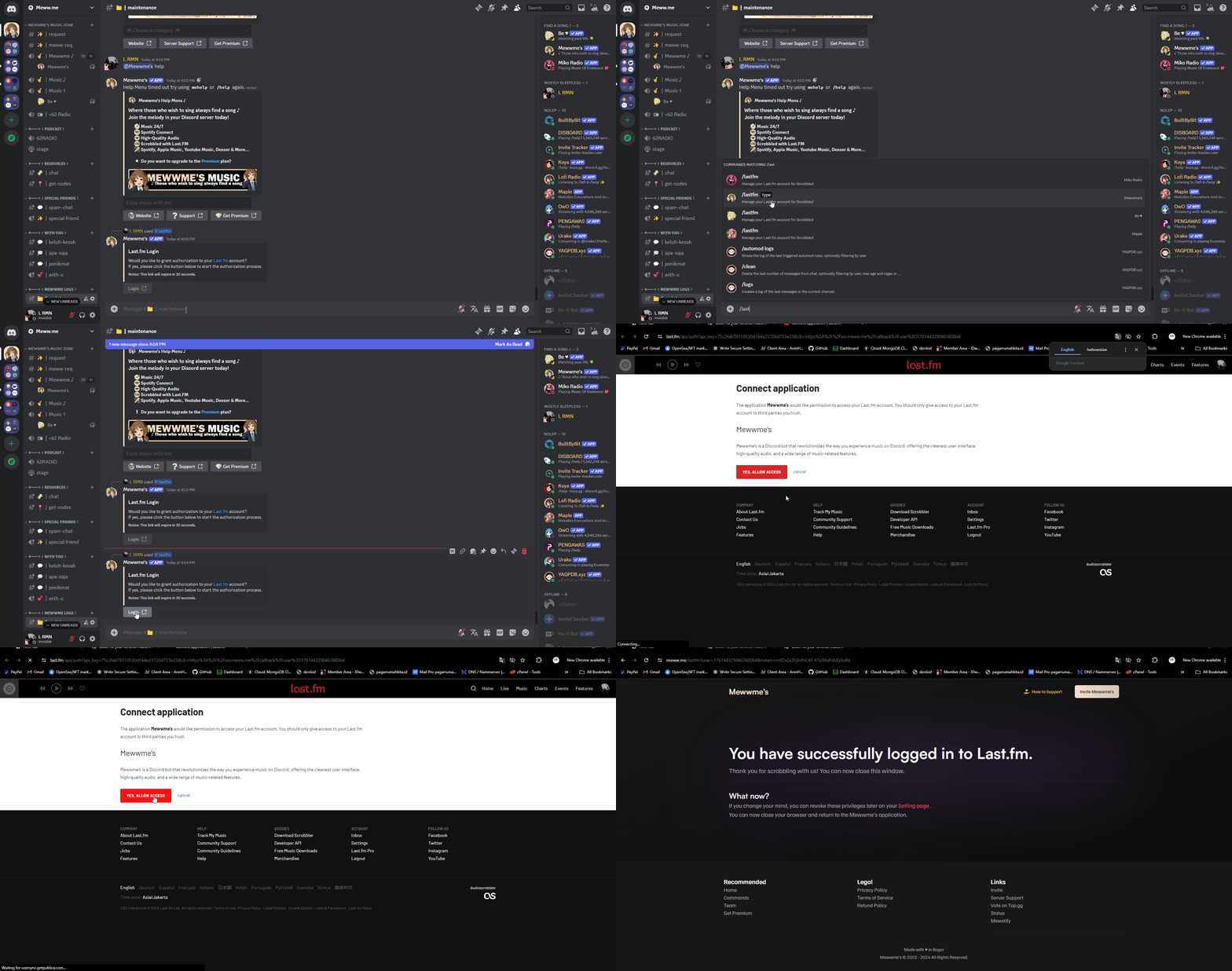
To connect your Last.fm account, use the following command:
-
/login
After typing the command, you will receive a link button. Click the link to authorize Muzes Neo with your Last.fm account. Follow the prompts to grant access to Muzes Neo for scrobbling your music.
If you don't have a Last.fm account, you can sign up here to create one. The sign-up process is quick and easy—just provide a username, password, and email address.
How to Disconnect Your Last.fm Account
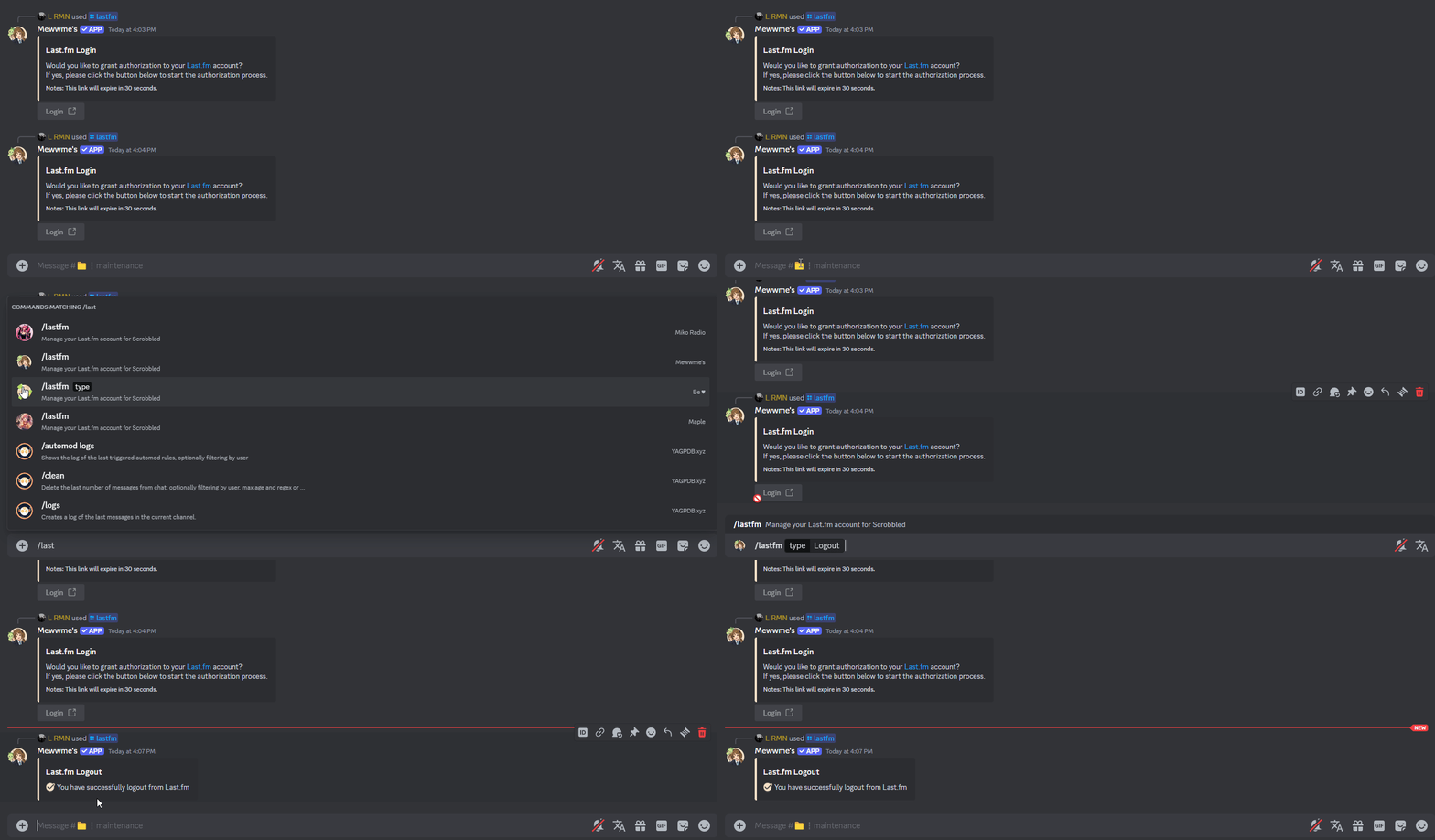
If you wish to disconnect your Last.fm account, use this command:
-
/lastfm-logout
This will unlink your Last.fm account from Muzes Neo.
Scrobbling Your Music
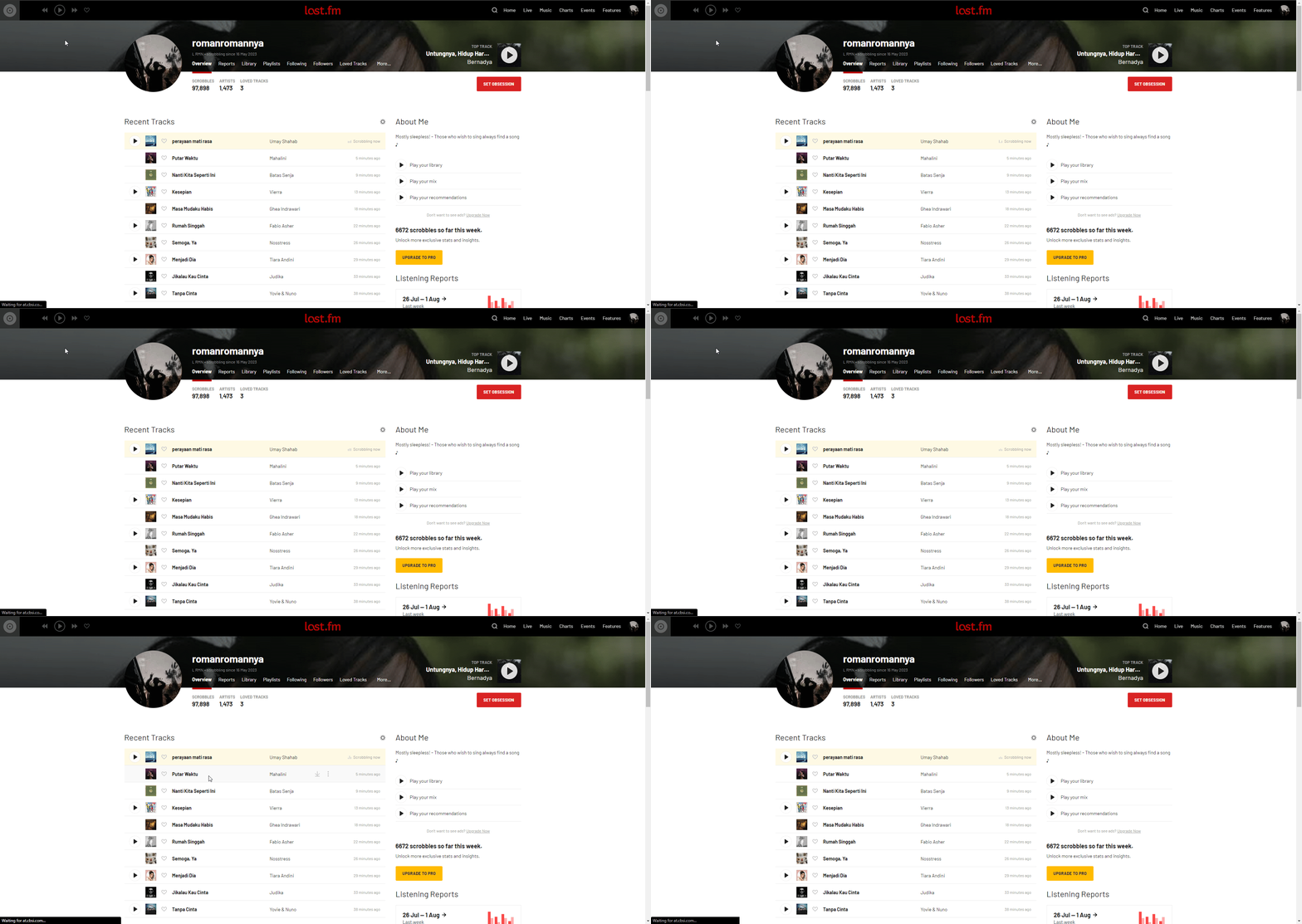
Once your account is connected, Muzes Neo will automatically scrobble the tracks you listen to. Scrobbling will occur 1 minute after the track starts playing, so your listening history is accurately recorded on Last.fm.
Need Help?
If you have any questions or need assistance with Last.fm integration, feel free to reach out to our support team on Discord.